
How to Challenge a Friend and See How Compatible You Are
Smash or Pass is more fun when you can argue about the results. Challenge a Friend lets you do that without playing at the same time: you send a link with some of your votes, your friend votes on the same characters, and you both see how compatible you are.
This guide covers how to unlock a challenge, how to send one, what your friend sees, and how the compatibility score works.
How a challenge works
- You send a link that carries 20 of your votes.
- Your friend smashes or passes the same 20 characters. It takes about 30 seconds.
- The score is how many of those characters you both voted the same way.
- Your friend gets a result and a shareable compatibility card.
Step 1: Unlock Challenge a Friend
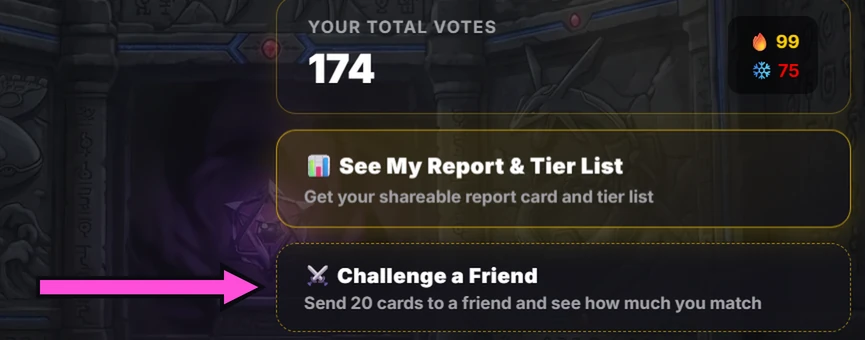
Challenges unlock at the same point as your tier list. That's 20 votes in every game, and until then the button shows a progress bar counting up to it. Once it's unlocked, you'll find Challenge a Friend in two places: on the game page under your total votes, and under the Smash and Pass buttons while you play.
Not sure how the unlock works? The tier list guide explains it.
Step 2: Build and send your challenge
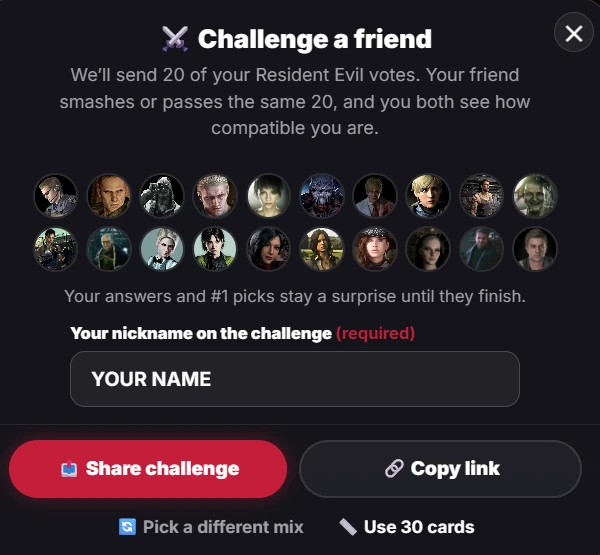
Tap the button and the challenge opens with 20 of your votes already chosen. Your #1 Smash and your #1 Pass are always included, and the site picks them for you if you haven't chosen them yourself. The rest are a random mix of the characters you've voted on.
- Pick a different mix shuffles in a new set of characters. It appears once you've voted on more characters than the challenge needs.
- Use 30 cards makes the challenge longer, which gives a more reliable score. It only unlocks after you've voted on at least 30 characters.
- Your nickname is required, up to 16 characters, so your friend knows who sent it.
Then tap Share challenge to use your device's share sheet, or Copy link to paste it into a chat yourself. Your answers and #1 picks stay a surprise until your friend finishes.
Step 3: What your friend sees
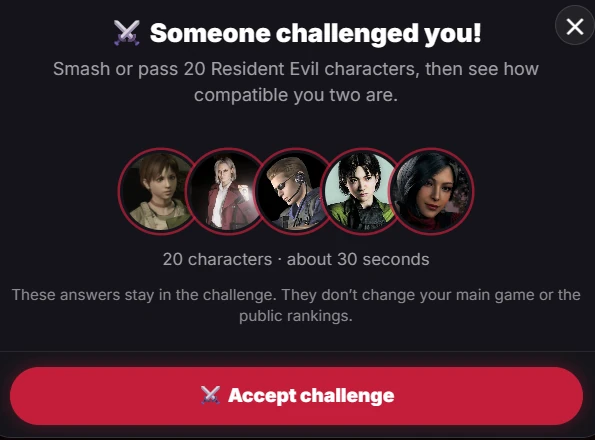
Your friend opens the link and sees a "Someone challenged you" screen with the number of characters and a time estimate. They tap Accept challenge and smash or pass each card, with a progress bar showing how far along they are.
Their answers stay inside the challenge. They don't change their main game or the public rankings. Progress is saved, so if they close the page halfway through, they can pick up where they left off from the Challenge a Friend screen.
Step 4: Read the result
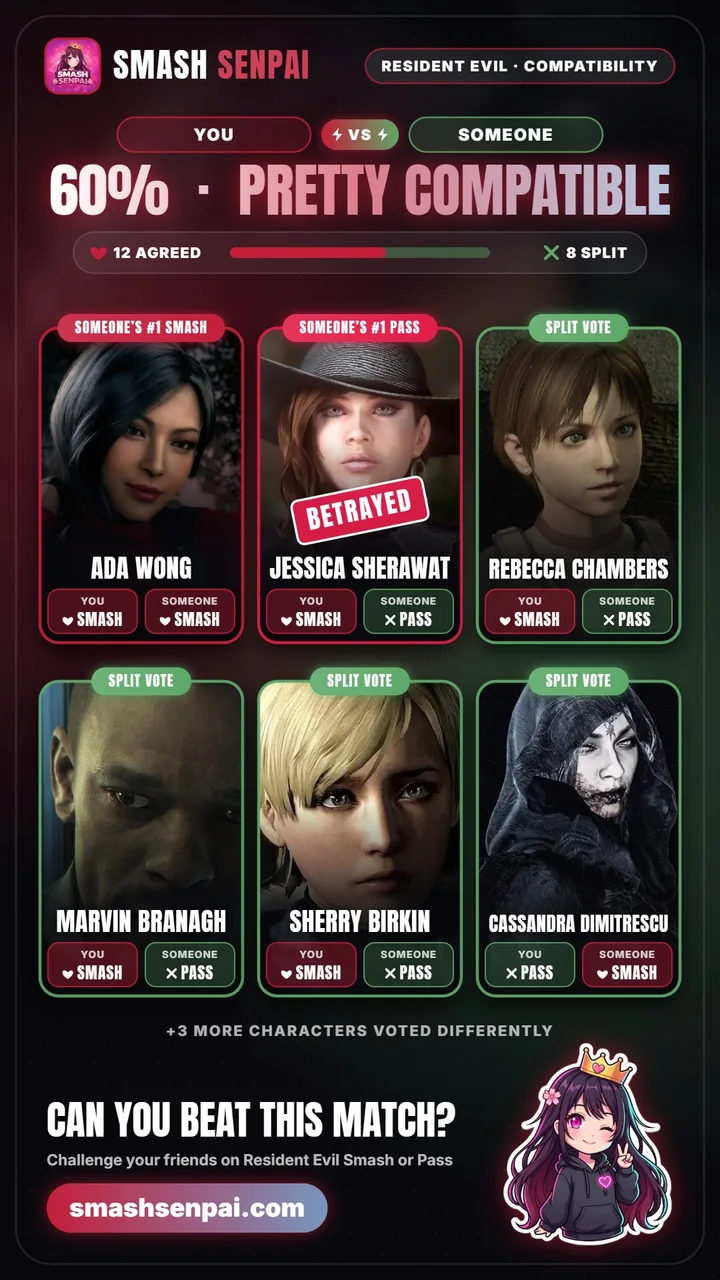
The compatibility score is the share of characters you both voted the same way, rounded to a whole number. If 12 of 20 characters match, that's 60%. The score also gets a label:
| Label | Score | What it says |
|---|---|---|
| Soulmates | 90% and up | You two share one brain. |
| Same Wavelength | 75% and up | Scary how alike you are. |
| Pretty Compatible | 60% and up | More alike than not. |
| Odd Couple | 45% and up | Half the roster divides you. |
| Different Worlds | 30% and up | You'd fight over the remote. |
| Total Opposites | Under 30% | How are you even friends? |
Below the score, the result calls out your #1 picks. If your friend passes your #1 Smash or smashes your #1 Pass, it's a betrayal. If they agree, it's a match. It also lists the characters you split on, so you know exactly what to argue about.
The result becomes a vertical compatibility card with the score, the agreed and split counts, and the characters that mattered most. You can share the card, save it as an image, or copy a link to the result.
Tips for a better challenge
- Choose a game you both know. A challenge between characters your friend has never heard of is mostly guesswork.
- Send it to a group chat. Each friend plays on their own device, so you can compare scores afterwards.
- Try a different mix. Reshuffling gives a new set of characters and a fresh score.
- Go to 30 cards for a closer read. More characters means one odd vote counts for less.
Challenge questions
Does a challenge change the rankings?
No. Your friend's answers stay in the challenge and don't change their main game or the public rankings.
Does my friend need an account?
No. They open the link in their browser and accept the challenge. They only need a nickname for their own result.
Which games have Challenge a Friend?
Every game on the site. Each challenge is for one game, and the link says which. Pick a game to start:
- Anime
- Genshin Impact
- Honkai: Star Rail
- League of Legends
- Overwatch
- Pokémon
- Resident Evil
- Valorant
- Wuthering Waves
- Zenless Zone Zero
What if the link doesn't open?
A link can get cut off when it's copied. Ask your friend to send it again.
Ready to challenge someone? Pick a game, vote until Challenge a Friend unlocks, then send your first link.